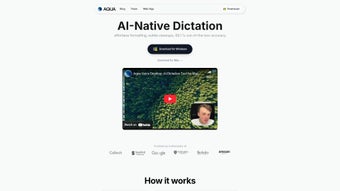

Download Aqua Voice – Voice‑Driven Text Editor for Fast Document Creation
Overview
Aqua Voice is a cutting‑edge, voice‑driven text editor that redefines how we create and refine documents. Built on advanced dictation technology and natural language processing, the app lets users dictate, navigate, and edit their files entirely through spoken commands. Whether you’re drafting a report, writing a blog post, or polishing a business proposal, Aqua Voice translates your voice into clean, structured text in real time.
One of its standout capabilities is the “fluid rewrite” engine, which preserves your unique tone while rephrasing sentences for clarity and impact. Additionally, the “fill‑in‑the‑blank” feature intelligently suggests missing words, dates, or factual details, ensuring you never get stuck mid‑sentence. Aqua Voice also includes an automatic filler‑phrase remover, stripping out unnecessary words like “um,” “you know,” and “like,” resulting in a professional‑sounding manuscript without extra effort.
While it may not excel at transcribing long lectures verbatim, it shines when you need concise, coherent text derived from spoken ideas. The app’s real‑time accuracy and intuitive command set make it a perfect companion for writers, students, professionals, and anyone who wants to reduce typing fatigue. With a clean interface, cross‑platform support, and a focus on privacy‑first processing, Aqua Voice delivers a secure, free, and highly productive writing experience that adapts to the pace of your voice.
Key Features
- Full‑Voice Navigation: Move cursor, select paragraphs, and apply formatting using simple voice commands.
- Fluid Rewrite Engine: Rephrase sentences while preserving tone, style, and intent.
- Fill‑In‑The‑Blank Assistant: Prompted suggestions for missing words, dates, numbers, or factual information.
- Automatic Filler Phrase Removal: Eliminates verbal fillers (e.g., “um,” “you know”) for a cleaner final draft.
- Real‑Time Accuracy: Instant transcription with adaptive language models that improve as you speak.
- Cross‑Platform Sync: Seamlessly switch between Windows, macOS, Android, and iOS while keeping your documents in sync.
- Privacy‑Centric Processing: All voice data is encrypted on‑device; no recordings are stored on external servers.
- Custom Command Library: Create and save personalized voice shortcuts for repetitive tasks.
- Export Options: Save documents as .docx, .pdf, .txt, or directly to cloud services like Google Drive and OneDrive.
- Voice‑Activated Formatting: Apply bold, italics, headings, and bullet points without touching the keyboard.
Installation & Usage Guide
Getting started with Aqua Voice is straightforward and requires only a few minutes. First, visit the official website or your device’s app store (Google Play Store for Android, Apple App Store for iOS, Microsoft Store for Windows, or Mac App Store for macOS). Click the “Download” button and follow the on‑screen prompts; the installer will verify system compatibility and request permission to access your microphone. Once installed, launch the app and complete a brief onboarding wizard that calibrates your voice profile and teaches the basic command set. This step ensures the speech‑to‑text engine adapts to your accent, speaking speed, and ambient noise levels for optimal accuracy.
After onboarding, you’ll see a clean editing canvas with a prominent “Start Dictation” button. Press the button or say “Hey Aqua, start” to activate voice mode. Begin speaking naturally; Aqua Voice will transcribe your words into the document in real time.
Use commands such as “new paragraph,” “select last sentence,” “make bold,” or “replace [word] with [new word]” to edit on the fly. The fill‑in‑the‑blank assistant is triggered by saying “blank” or “missing,” prompting the AI to propose suitable replacements. For fluid rewrites, simply highlight a sentence by voice (“select this sentence”) and say “rewrite,” and the engine will suggest an alternative while preserving your voice’s tone.
Saving and exporting is equally voice‑driven: say “save document as ProjectProposal.docx” or “export to PDF.” Aqua Voice also integrates with cloud storage; a command like “sync to Google Drive” will upload the file automatically. To adjust settings, say “open settings” and navigate the menu using voice prompts. The app includes a help mode where you can ask, “What commands can I use?” and receive a spoken list of available actions. With these intuitive steps, users quickly transition from typing‑heavy workflows to a hands‑free, efficient writing environment.
Compatibility, Pros & Cons
Aqua Voice is engineered for universal compatibility. It runs natively on Windows 10/11, macOS 12 Monterey and later, Android 8.0+ (ARM and x86 devices), and iOS 13+. The application leverages each platform’s native speech‑recognition APIs while supplementing them with its own AI models for higher accuracy.
This cross‑platform design ensures that whether you work on a desktop workstation, a laptop, a tablet, or a smartphone, your voice‑driven workflow remains consistent. System requirements are modest: a microphone (built‑in or external), at least 2 GB RAM, and 150 MB of free storage for the core application. All major browsers (Chrome, Edge, Safari, Firefox) support the web version, which can be accessed without installation for quick on‑the‑go editing.
Pros
- Hands‑free editing dramatically reduces repetitive strain injuries.
- High‑accuracy transcription with adaptive learning improves over time.
- Privacy‑first architecture keeps voice data encrypted on the device.
- Rich command set covers navigation, formatting, and content generation.
- Seamless cross‑platform sync ensures continuity across devices.
- Free core version with optional premium add‑ons for advanced AI features.
- Automatic filler removal creates polished, professional documents instantly.
- Customizable voice shortcuts streamline repetitive tasks.
Cons
- Lecture‑style, rapid‑fire speech may produce occasional mis‑recognitions.
- Complex tables or code snippets require manual fine‑tuning after dictation.
- Initial voice profile calibration takes a few minutes of speaking.
- Premium AI rewrite features are locked behind a subscription.
- Limited offline functionality on mobile devices without internet access.
Frequently Asked Questions
Is Aqua Voice free to use?
Aqua Voice offers a fully functional free tier that includes voice dictation, basic editing commands, and cloud sync. Advanced AI rewrite tools and premium voice‑assistant features are available through a monthly or annual subscription.
Can I use Aqua Voice without an internet connection?
Core dictation works offline on Windows and macOS because it leverages the built‑in speech engine. However, AI‑powered features like fluid rewrite, fill‑in‑the‑blank suggestions, and cloud export require an internet connection.
How does Aqua Voice protect my privacy?
All voice data is processed locally on your device and encrypted before any optional cloud sync. The company’s privacy policy states that no recordings are stored on external servers unless you explicitly enable cloud backup.
Which file formats can I export to?
Aqua Voice supports exporting to Microsoft Word (.docx), PDF, plain text (.txt), and directly to cloud services such as Google Drive, OneDrive, and Dropbox.
Is there a way to customize voice commands?
Yes, the app includes a “Custom Command Library” where you can create, rename, and assign new voice shortcuts for repetitive actions, such as “insert table” or “apply heading 2.”
What platforms does Aqua Voice support?
Aqua Voice is available for Windows 10/11, macOS 12+, Android 8.0+, iOS 13+, and as a web app compatible with all major browsers.
Conclusion & Call to Action
Aqua Voice stands out as a powerful, voice‑first writing companion that turns spoken ideas into polished documents with minimal effort. Its blend of real‑time transcription, intelligent rewriting, and filler‑phrase elimination makes it an indispensable tool for professionals, students, and anyone looking to reduce keyboard dependence. While it isn’t a perfect substitute for detailed lecture transcription, its ability to condense long speech into concise prose more than compensates for that niche limitation. The free tier already offers a robust feature set, and the optional premium subscription unlocks deeper AI assistance for power users. If you value hands‑free productivity, data privacy, and cross‑device flexibility, Aqua Voice is the logical next step in modern document creation.
Ready to experience effortless writing? Download Aqua Voice now for Windows, macOS, Android, or iOS and start dictating your way to clearer, more professional documents today.
Aqua Voice delivers a surprisingly accurate and intuitive voice‑driven editing experience. The fluid rewrite and filler removal features save me hours each week, and the privacy‑first design gives me confidence in using it for sensitive documents. Minor hiccups with rapid speech are outweighed by the overall productivity boost, making it a top recommendation for anyone seeking a hands‑free writing tool.



.png)



